Theory
Position Finder
Choose where on the neck you want to play, and see a key's notes right there – no sliding up and down the fretboard.
- Guitar
- Ukulele
- Banjo
- Bass



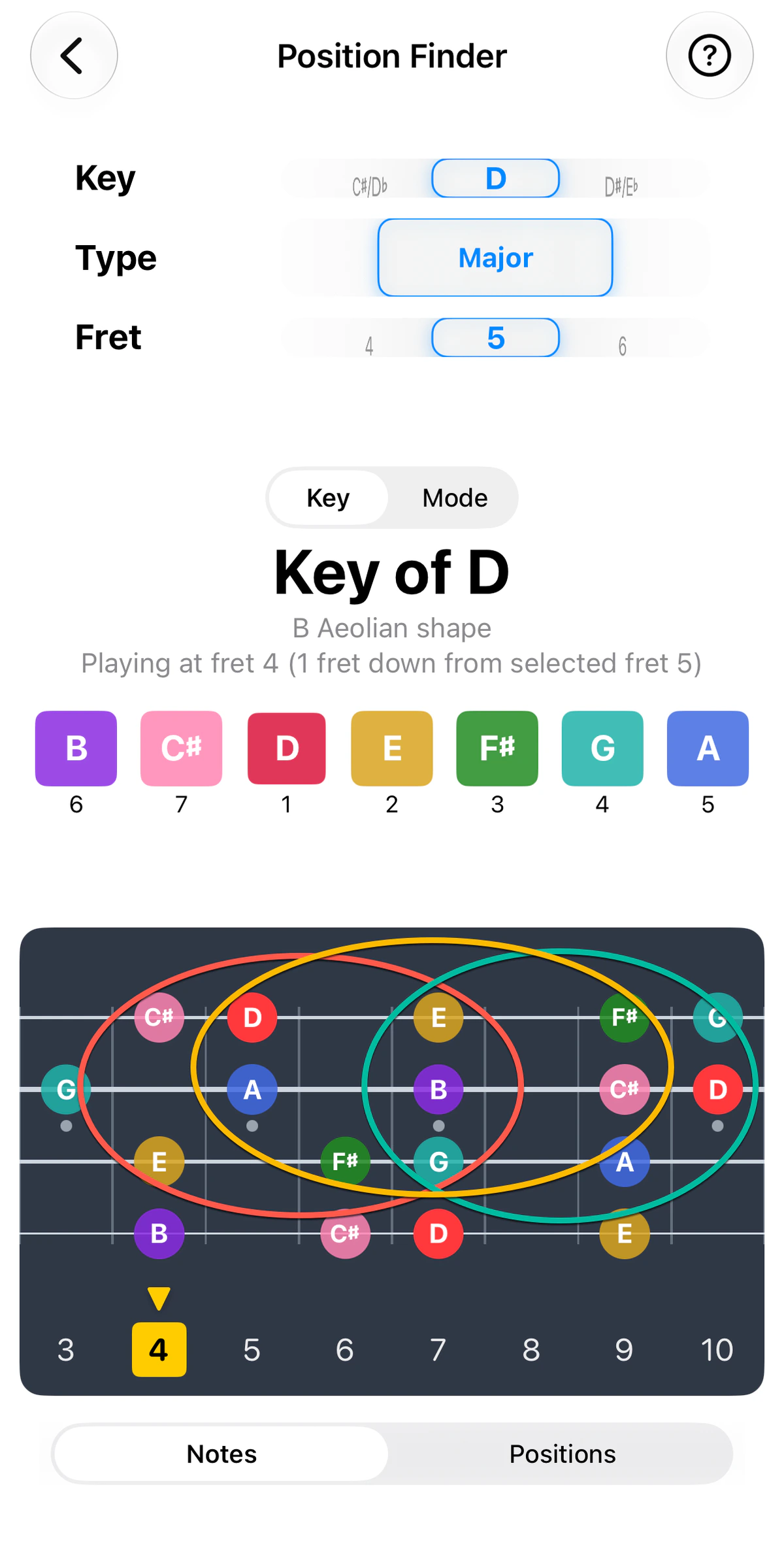
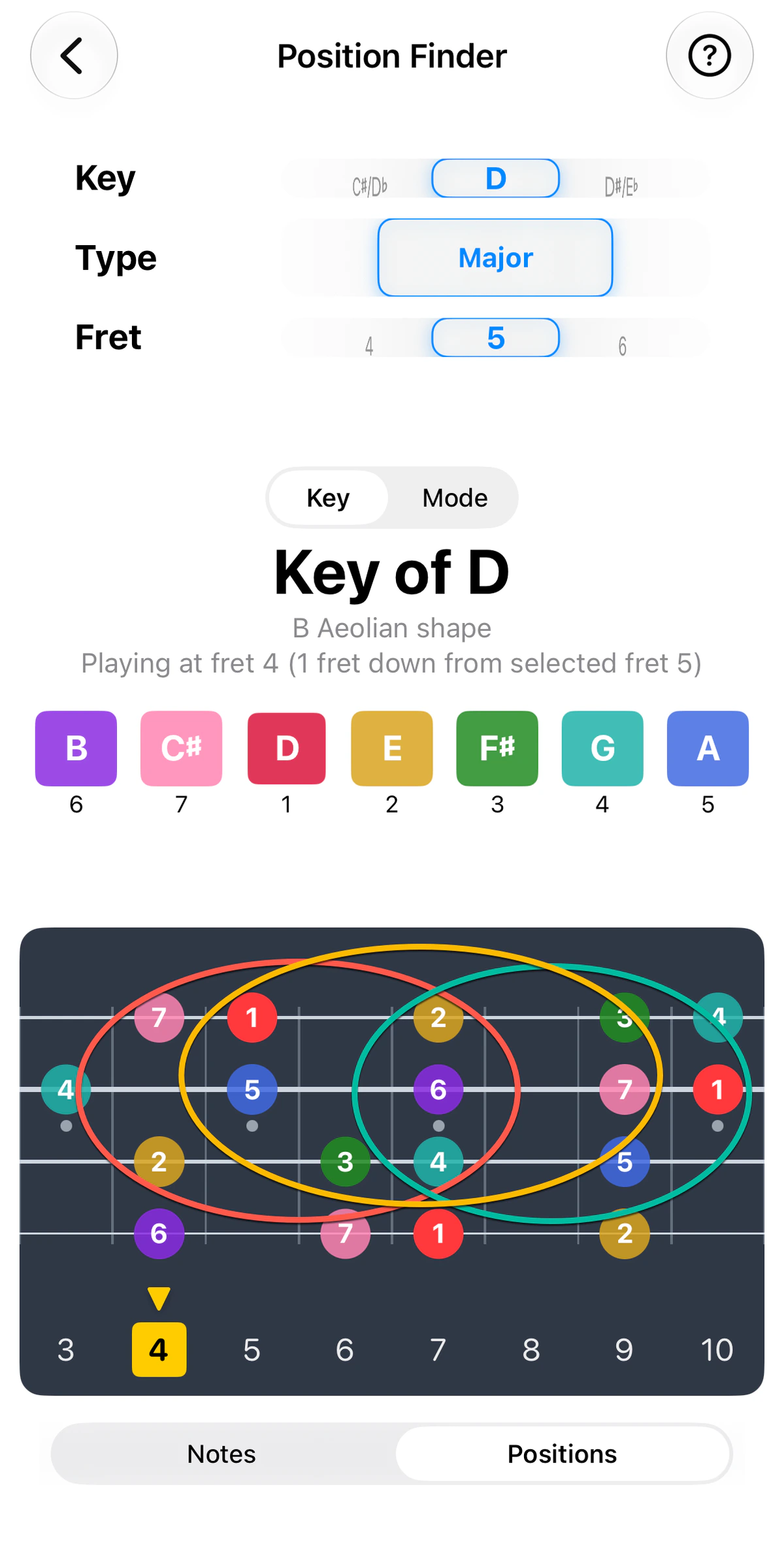
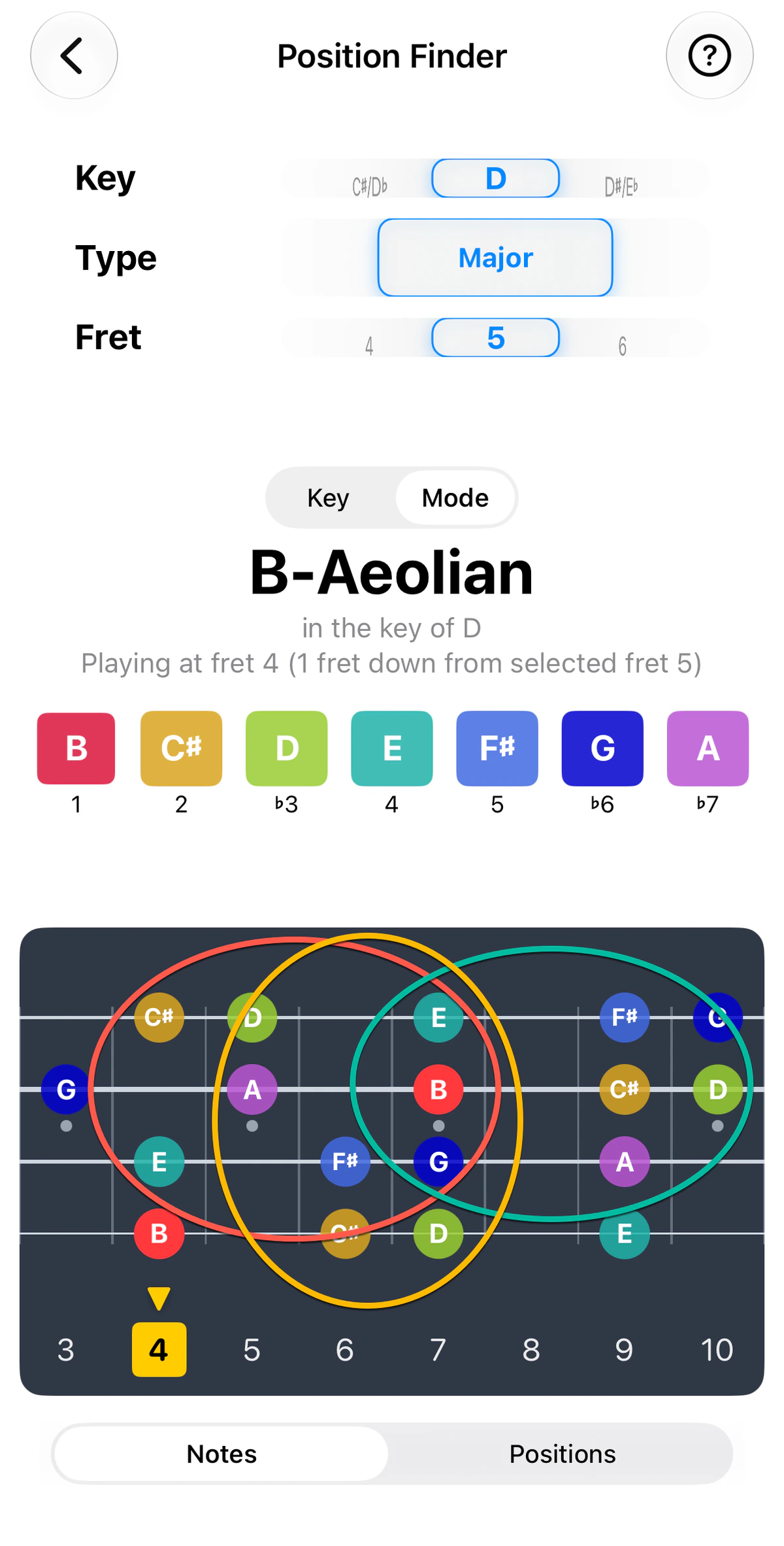
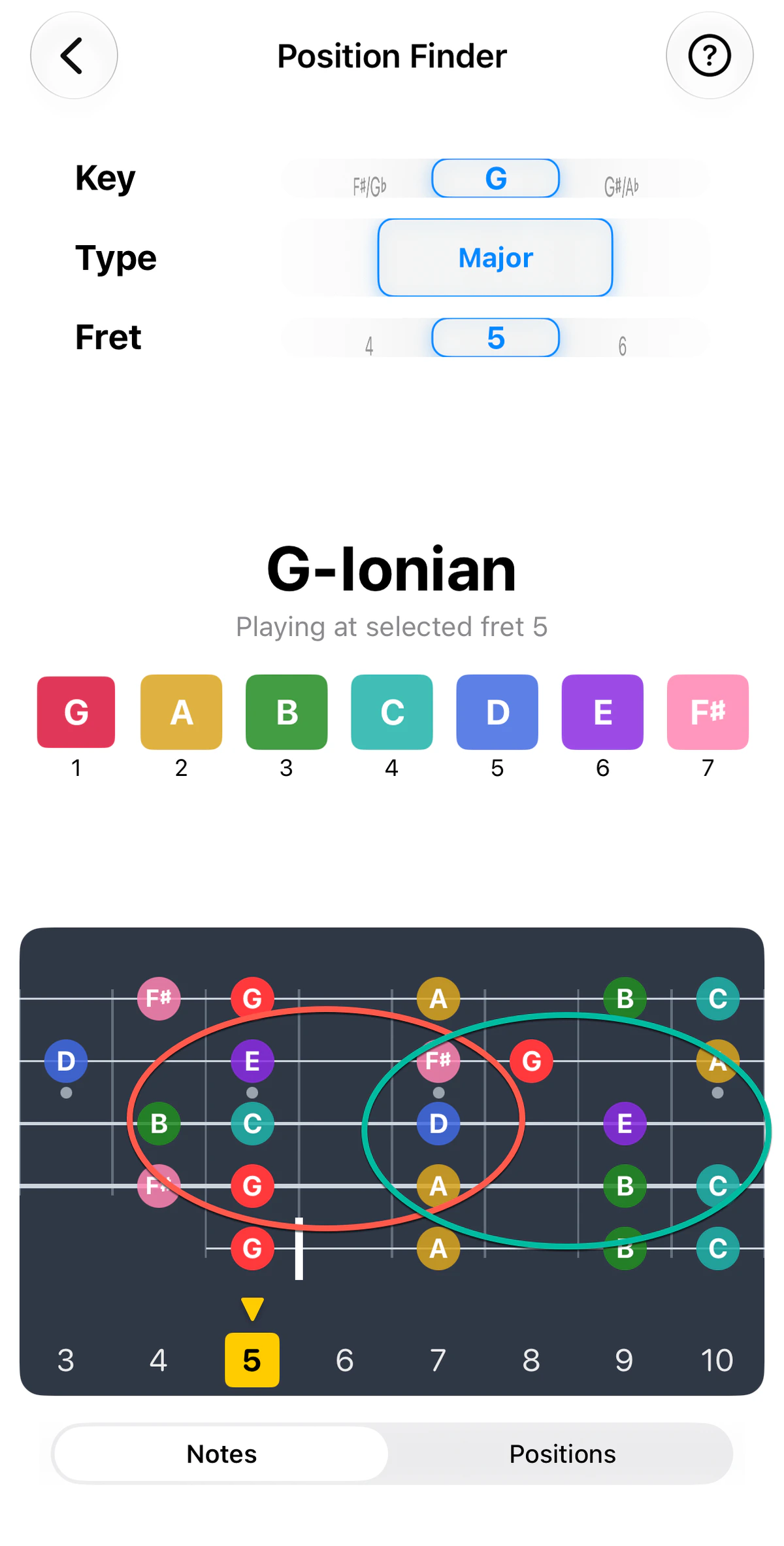
Many players learn (and stick to) each chord/key at a regular spot on the neck. On guitar, for example, Am (barred) at the 5th fret, G at the 3rd, E at the nut. The trouble is that a song with several chords then drags your hand up and down the fretboard.
It doesn’t have to. Any chord or scale can be played almost anywhere on the neck – you just need to know what it looks like there. Position Finder takes a key and the fret where you want to play, and shows you the notes of that key around it. This gives you an opportunity to quickly improvise around that area while staying in your key of choice.
Using it
- Choose a key.
- Choose a fret with the fret wheel – this is where you’d like your hand to sit. It goes up to your instrument’s last fret.
- GTK shows the key’s notes on, or near that position, and which modes fit.
Position Finder covers major and minor, harmonic minor, melodic minor and chord-tone patterns. It follows your current tuning and spells flat keys correctly (for example, E♭ rather than D♯).
Example: a whole song around fret 5
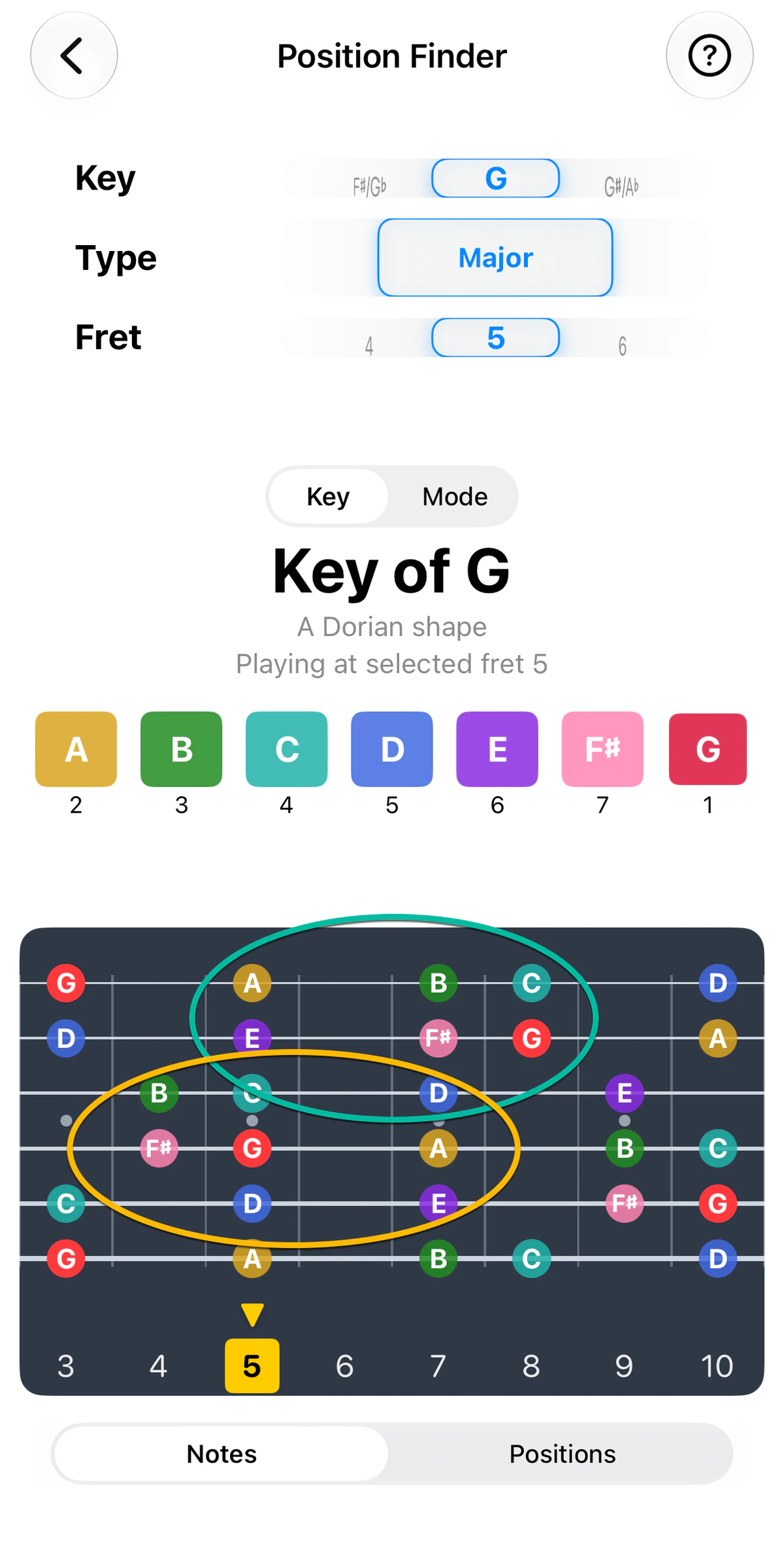
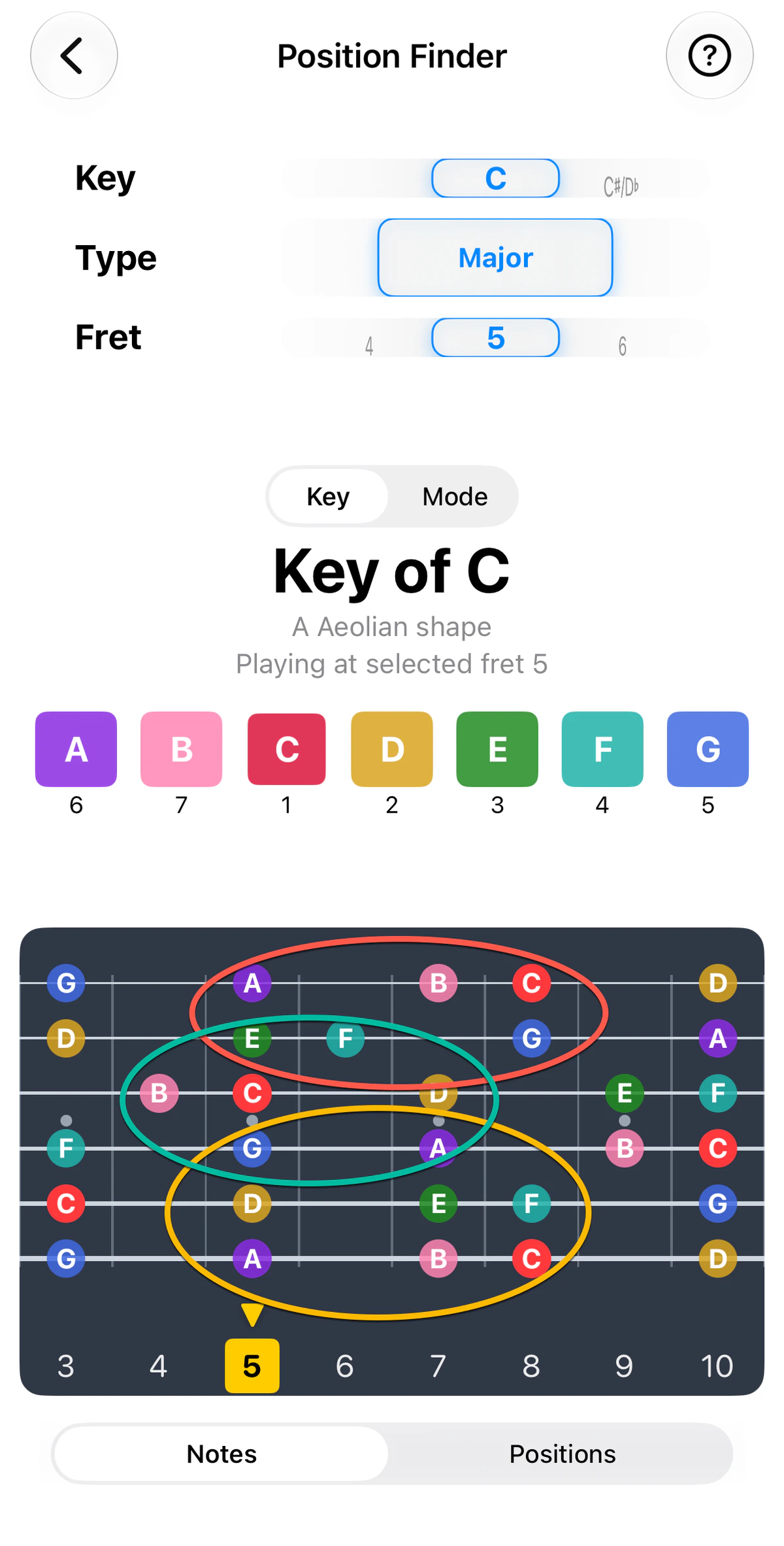
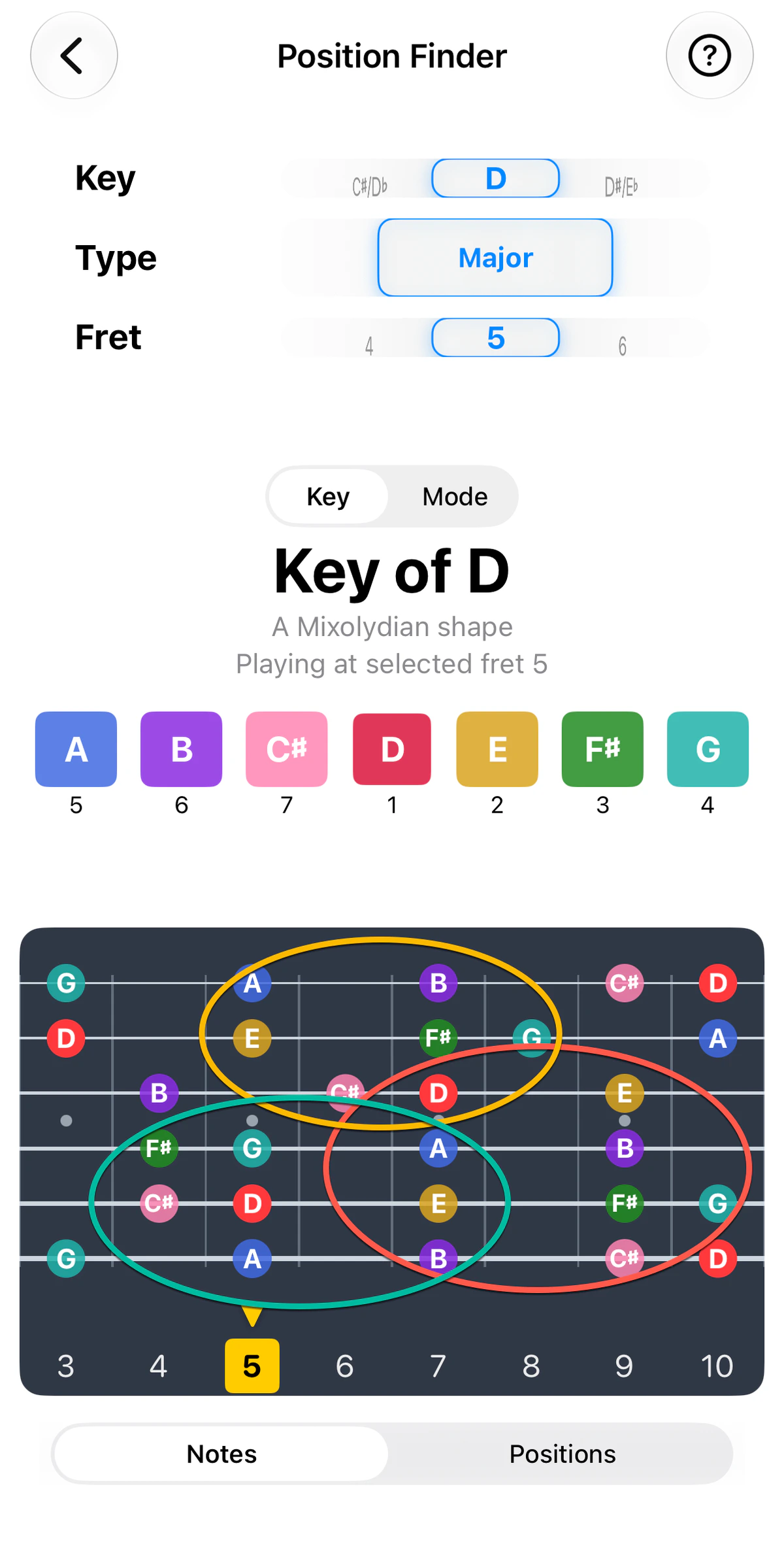
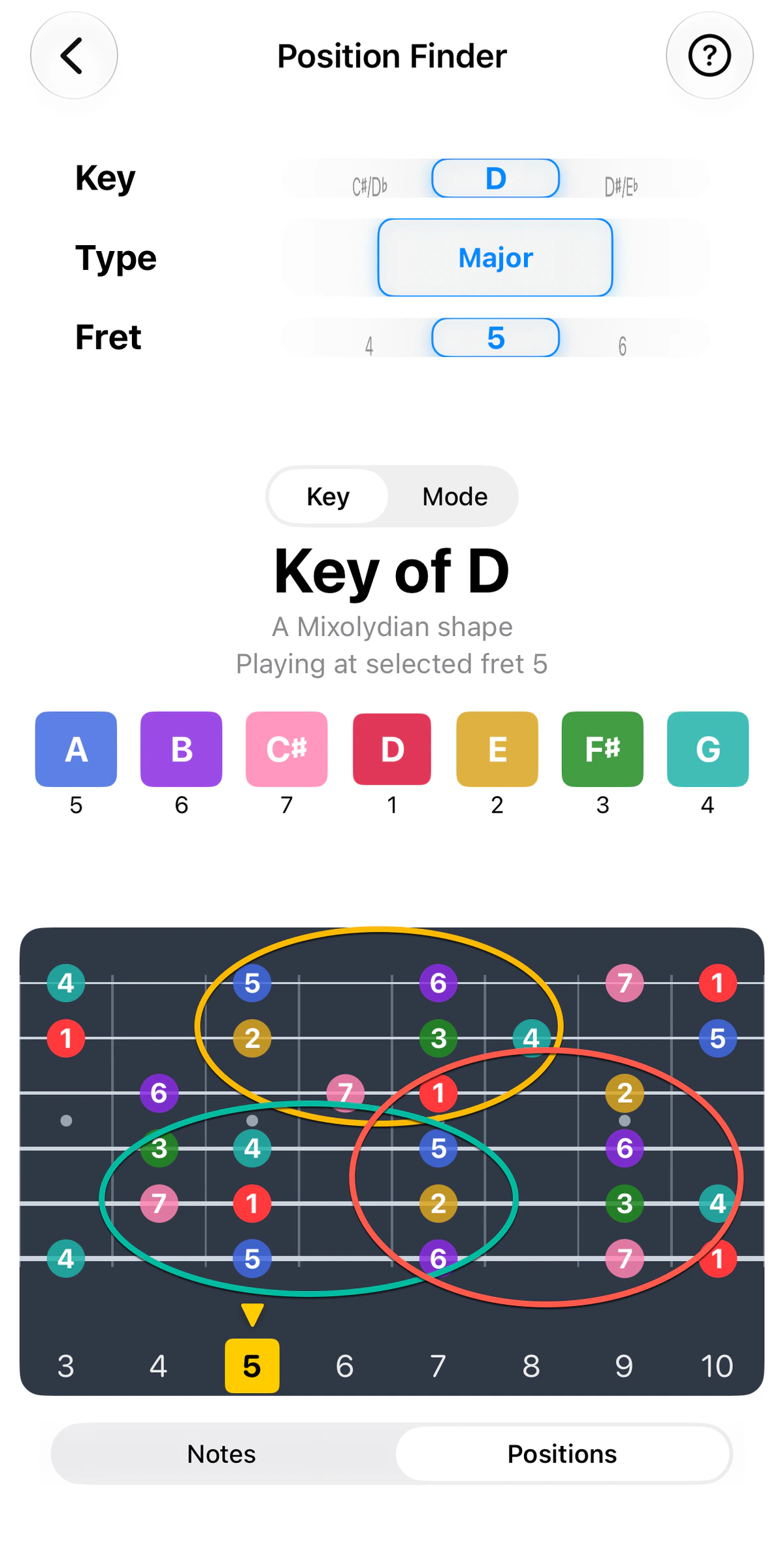
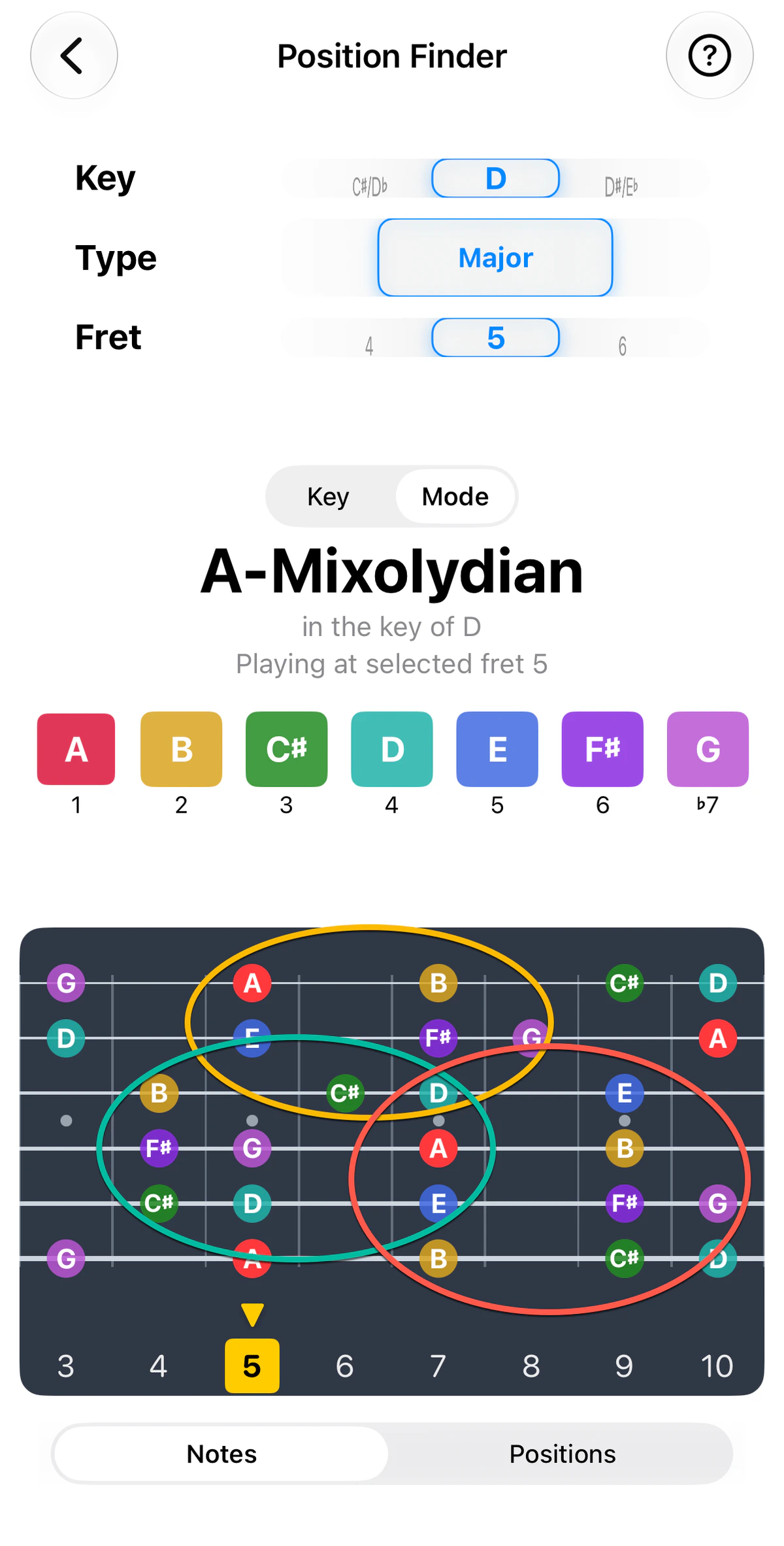
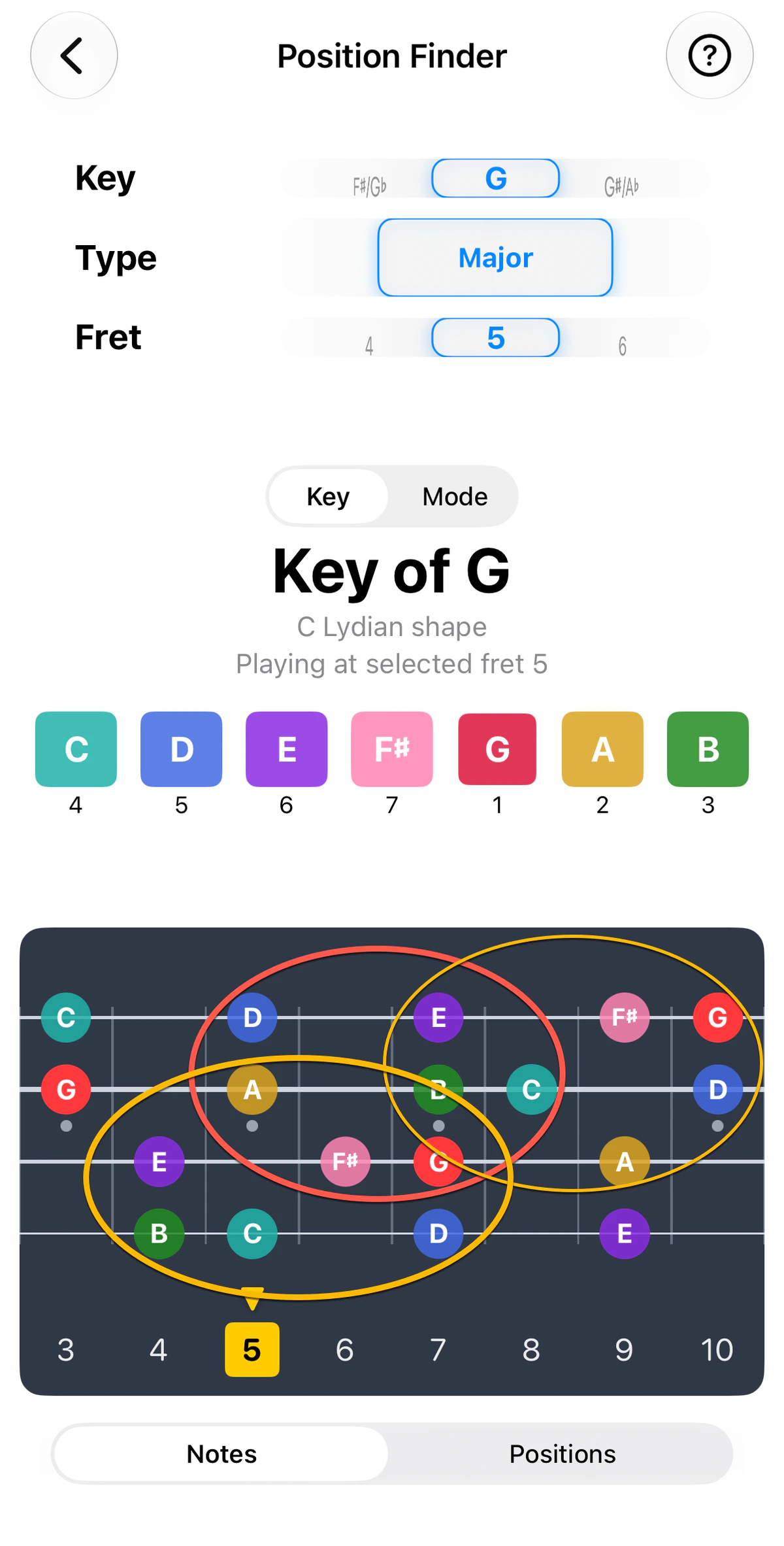
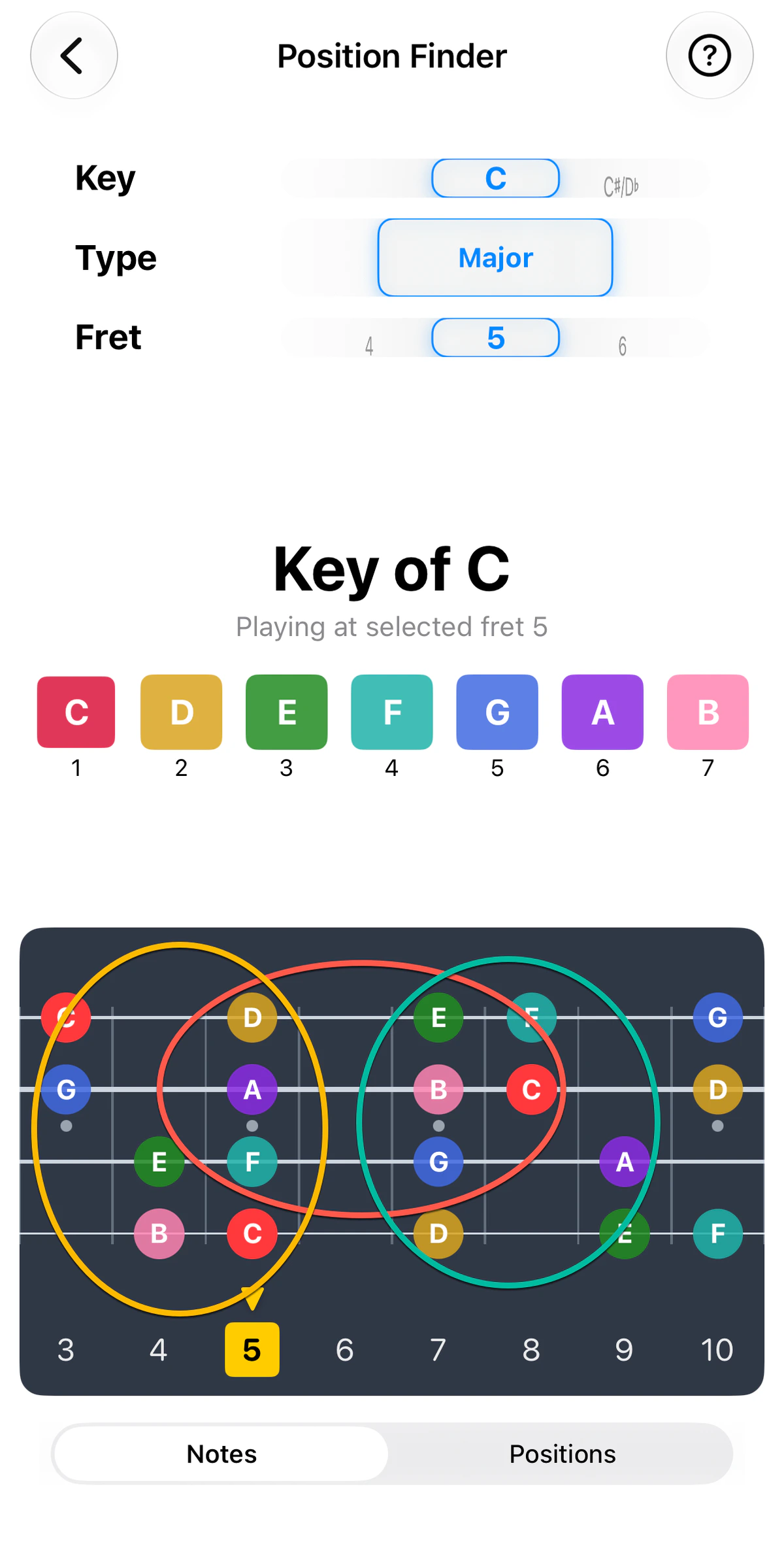
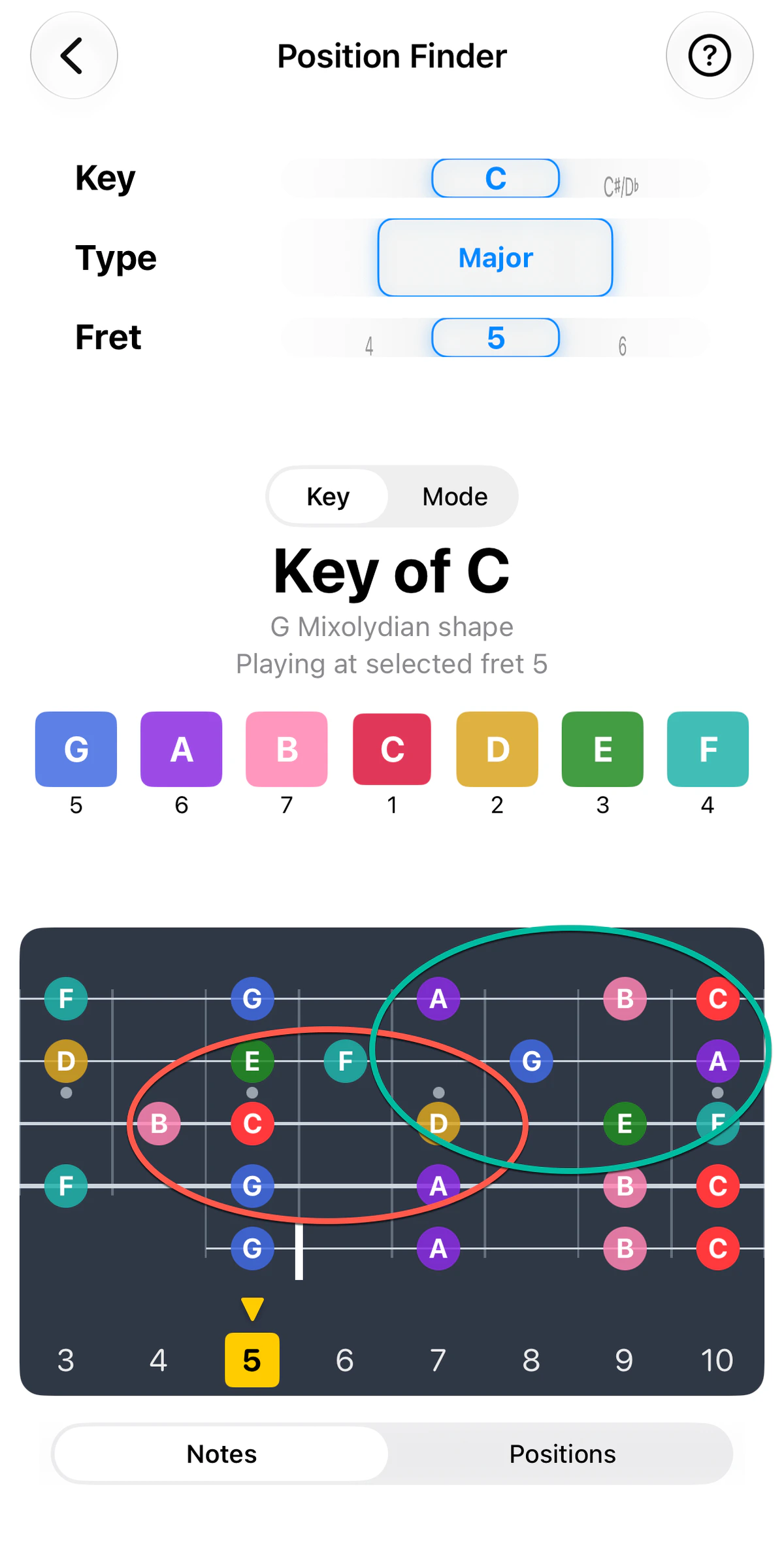
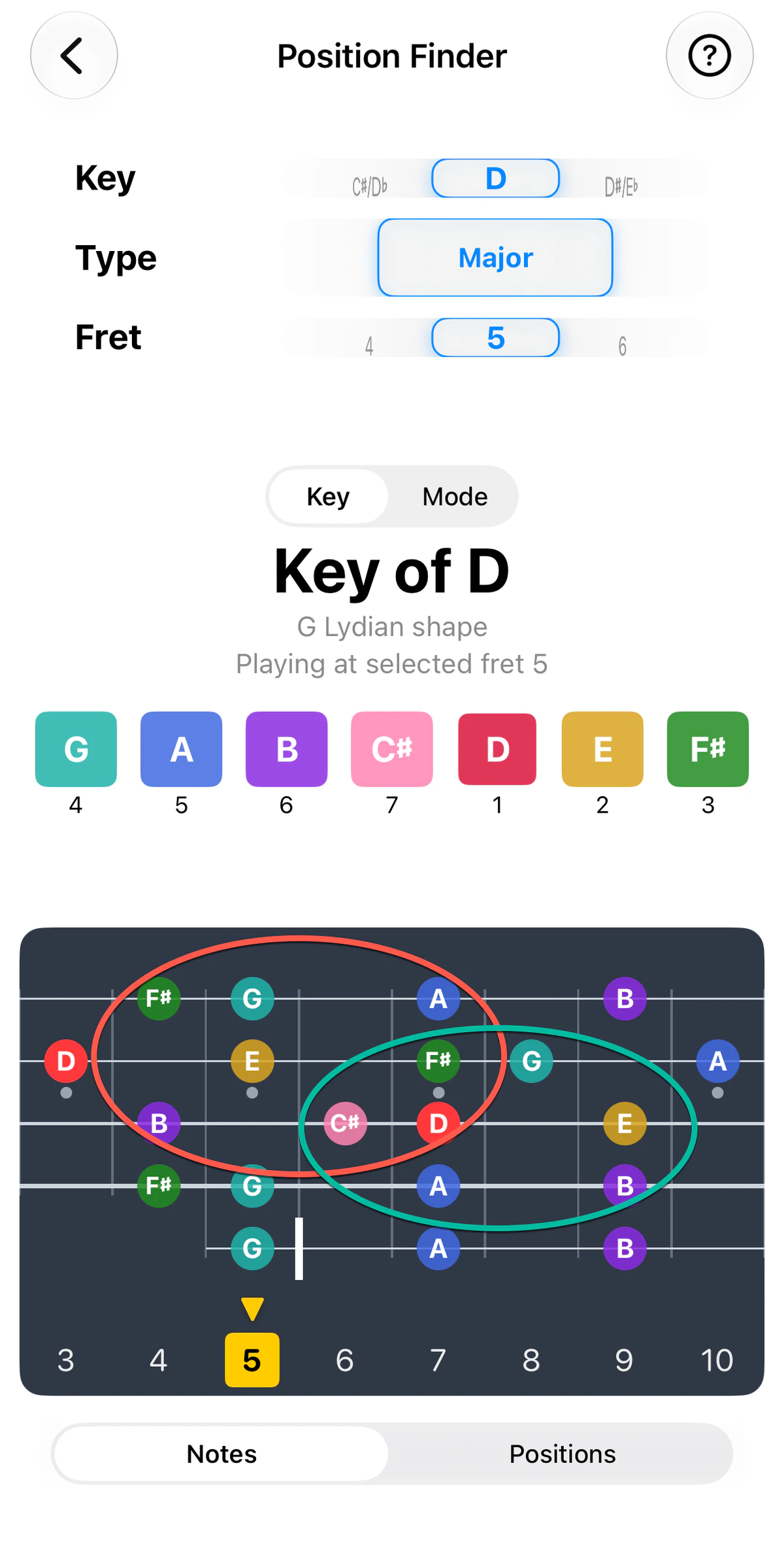
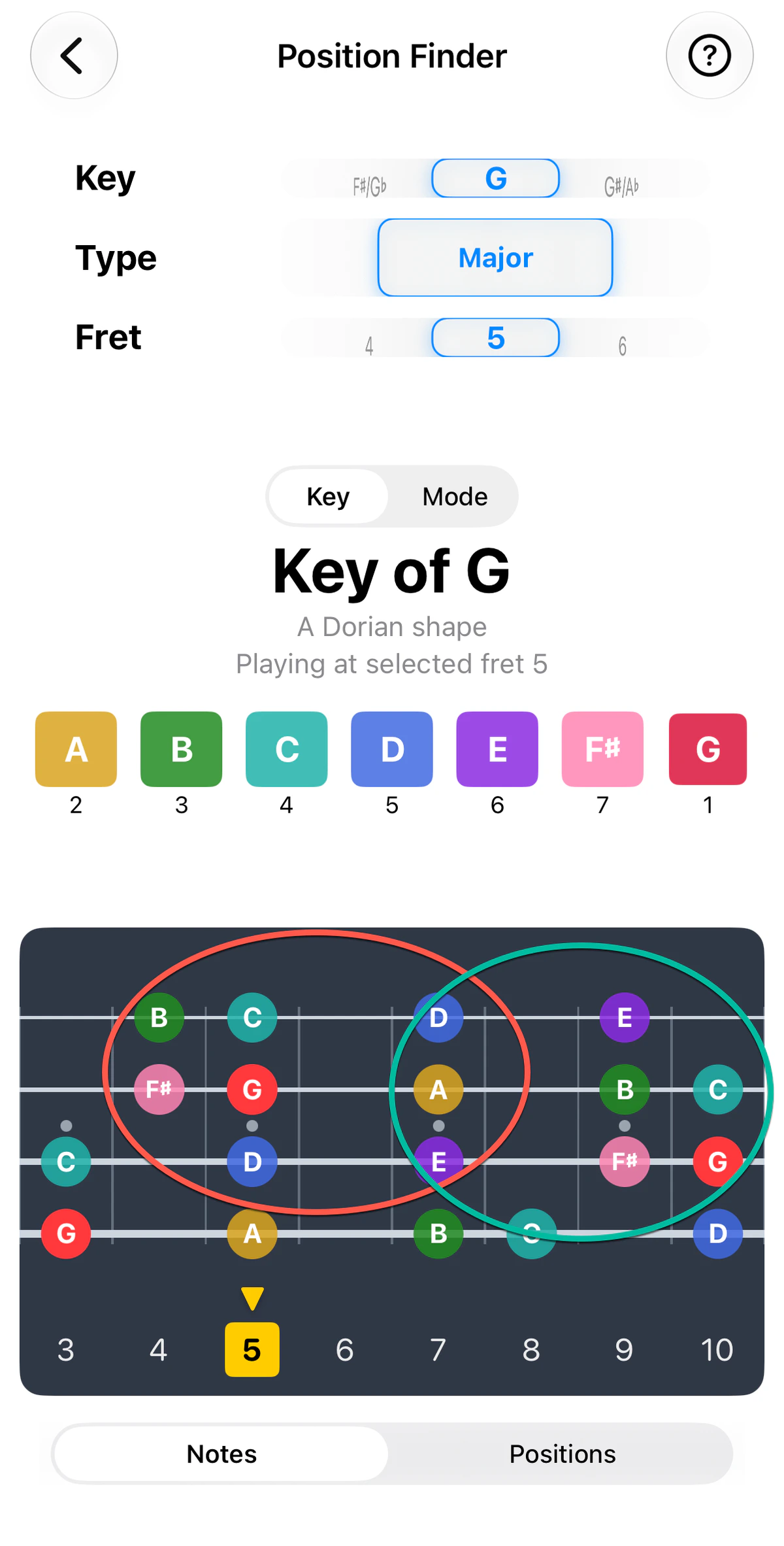
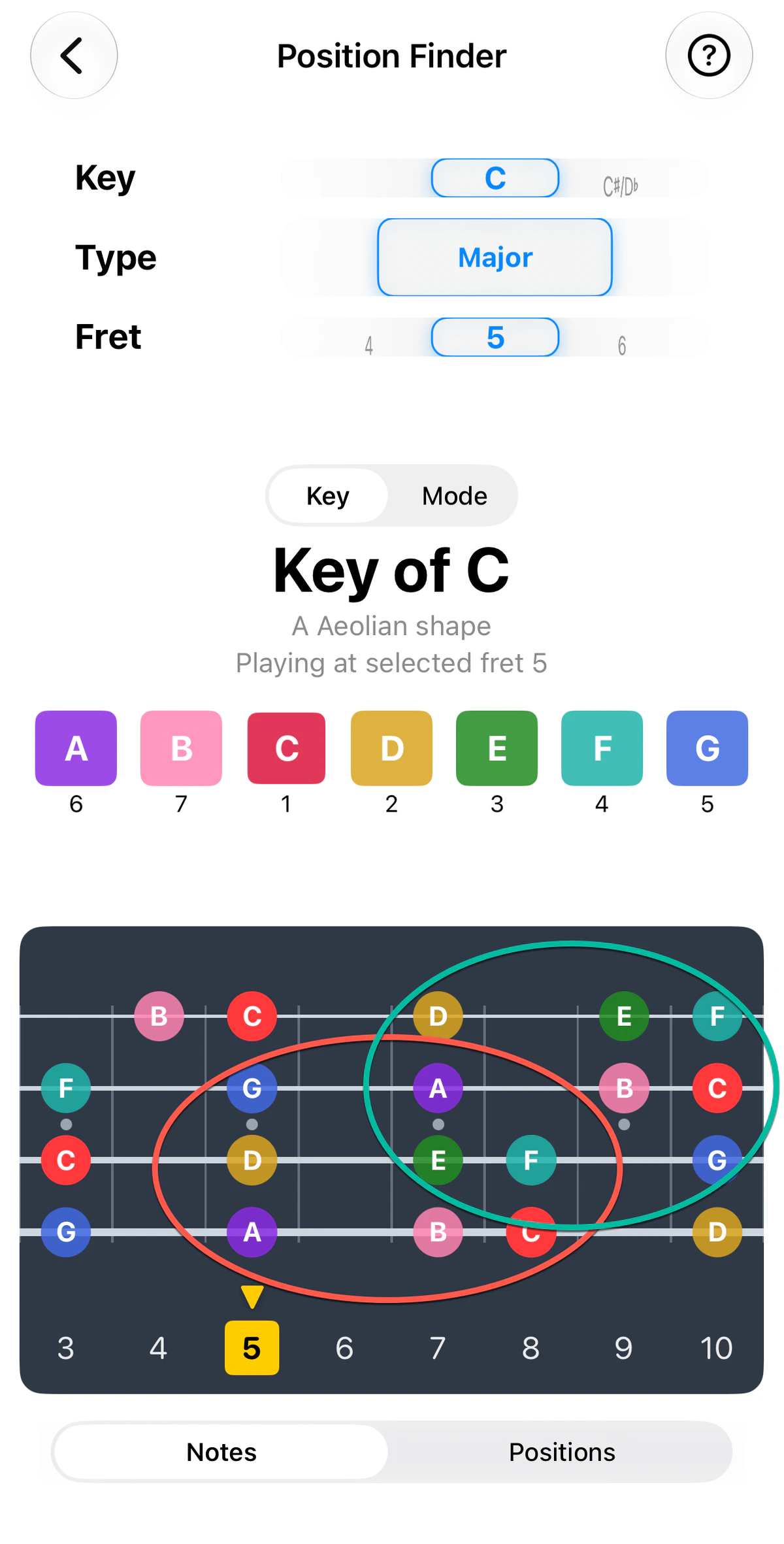
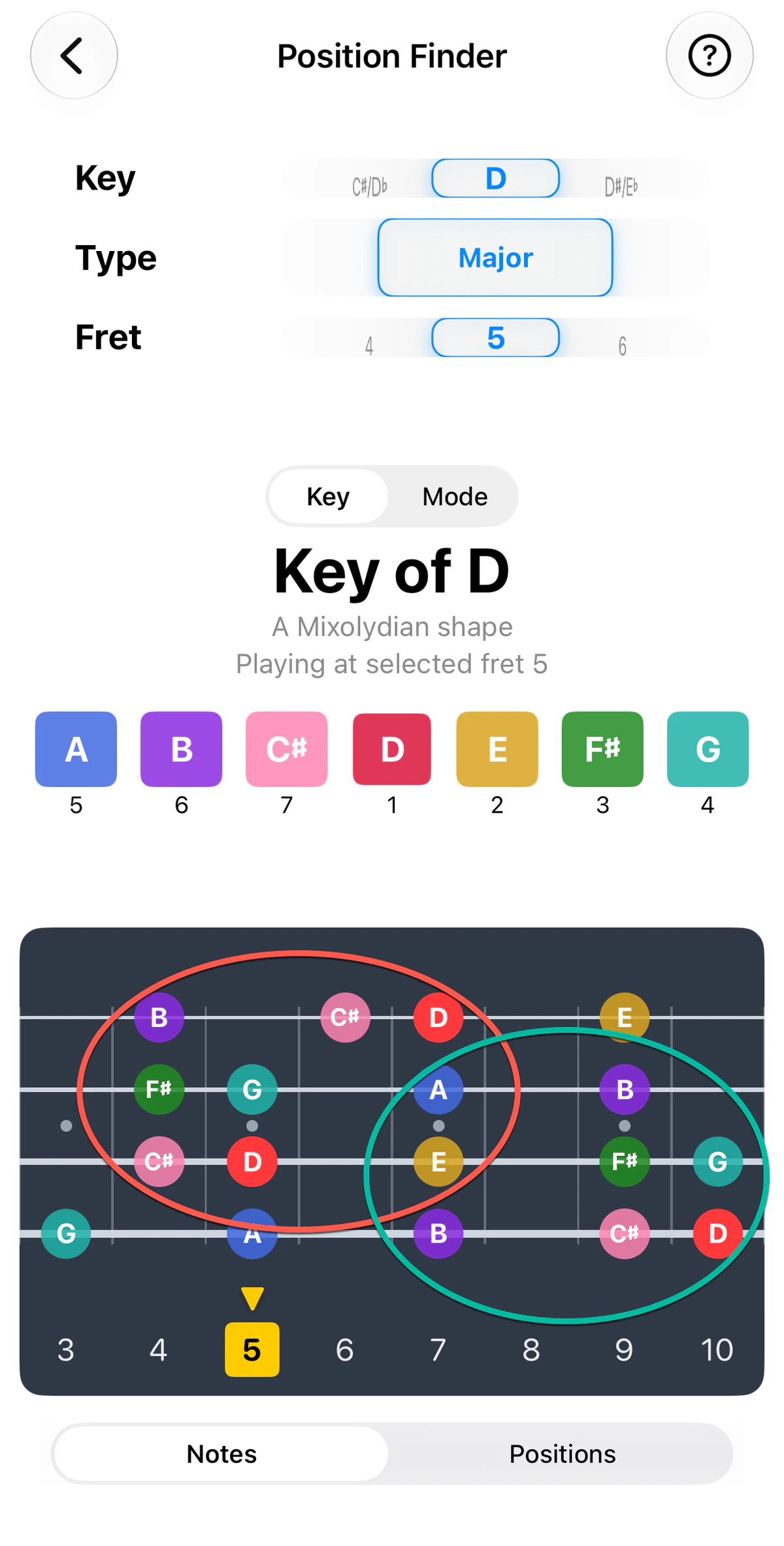
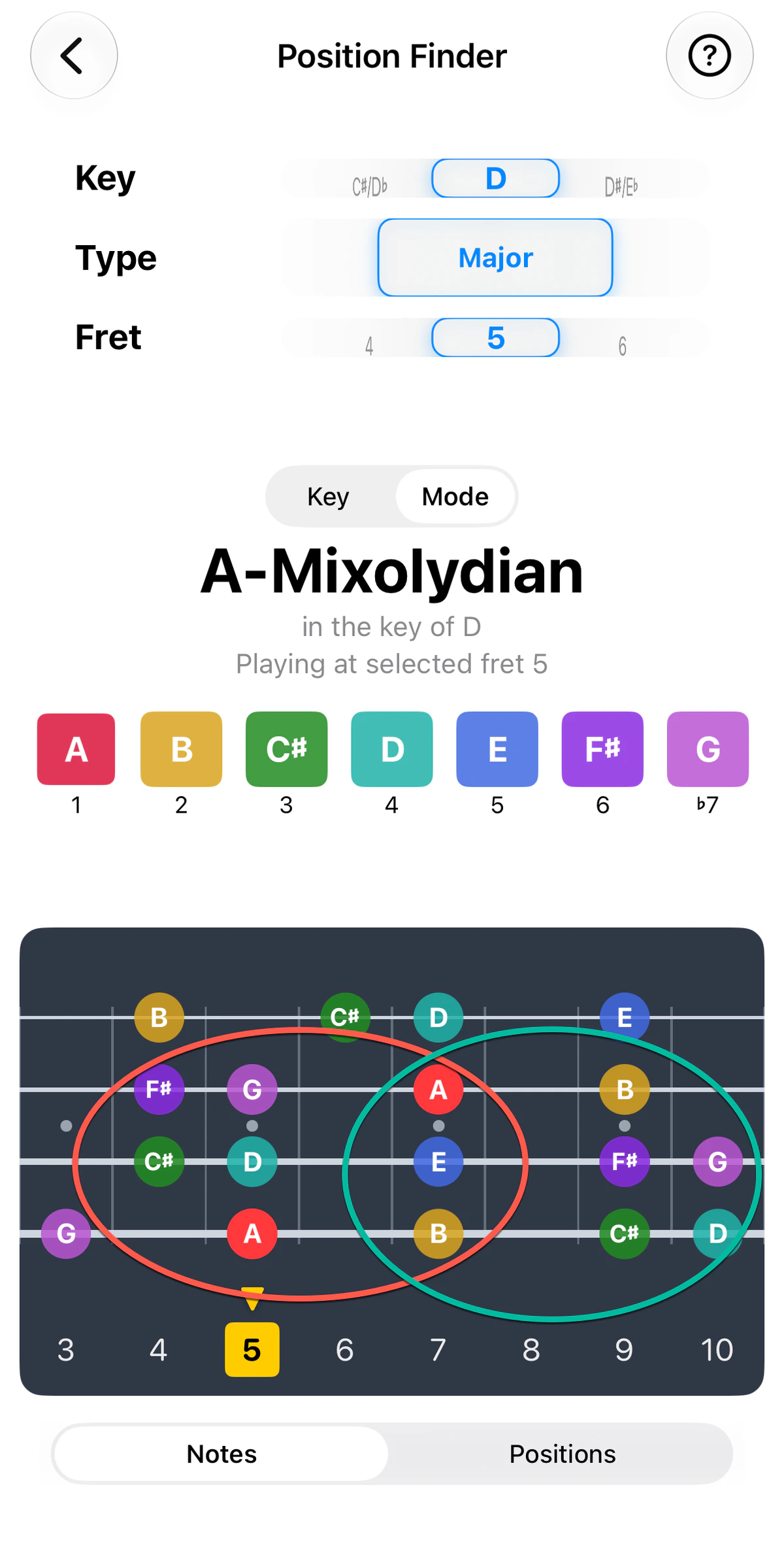
Say a song uses G, C and D, and fret 5 is where your hand feels comfortable. Instead of jumping between three different spots on the neck, set Position Finder to fret 5 and look at each key in turn (see the screenshots). Each one shows you the notes of that key within a few frets of where your hand already is. Use the instrument tabs above the screenshots to see the same keys on guitar, ukulele, banjo or bass. The notes are the same, but they fall on different strings.
When the song changes to G, C or D, you stay put and use the highlighted notes to play along with the chord being played – picking out notes that support it, without moving your hand.
The coloured rings on the fretboard are possible options for where you might want to improvise. Each one groups a handful of in-key notes that sit comfortably together, so you can play inside one ring, then move to another without leaving the key or moving too far from fret 5. On guitar in the key of G, for example, you could start on the top three strings (the teal ring), then later drop to strings 3, 4 and 5 (the yellow ring) for a deeper sound and more variety. The rings differ on each instrument, because the strings and tuning do.
Notes or Positions
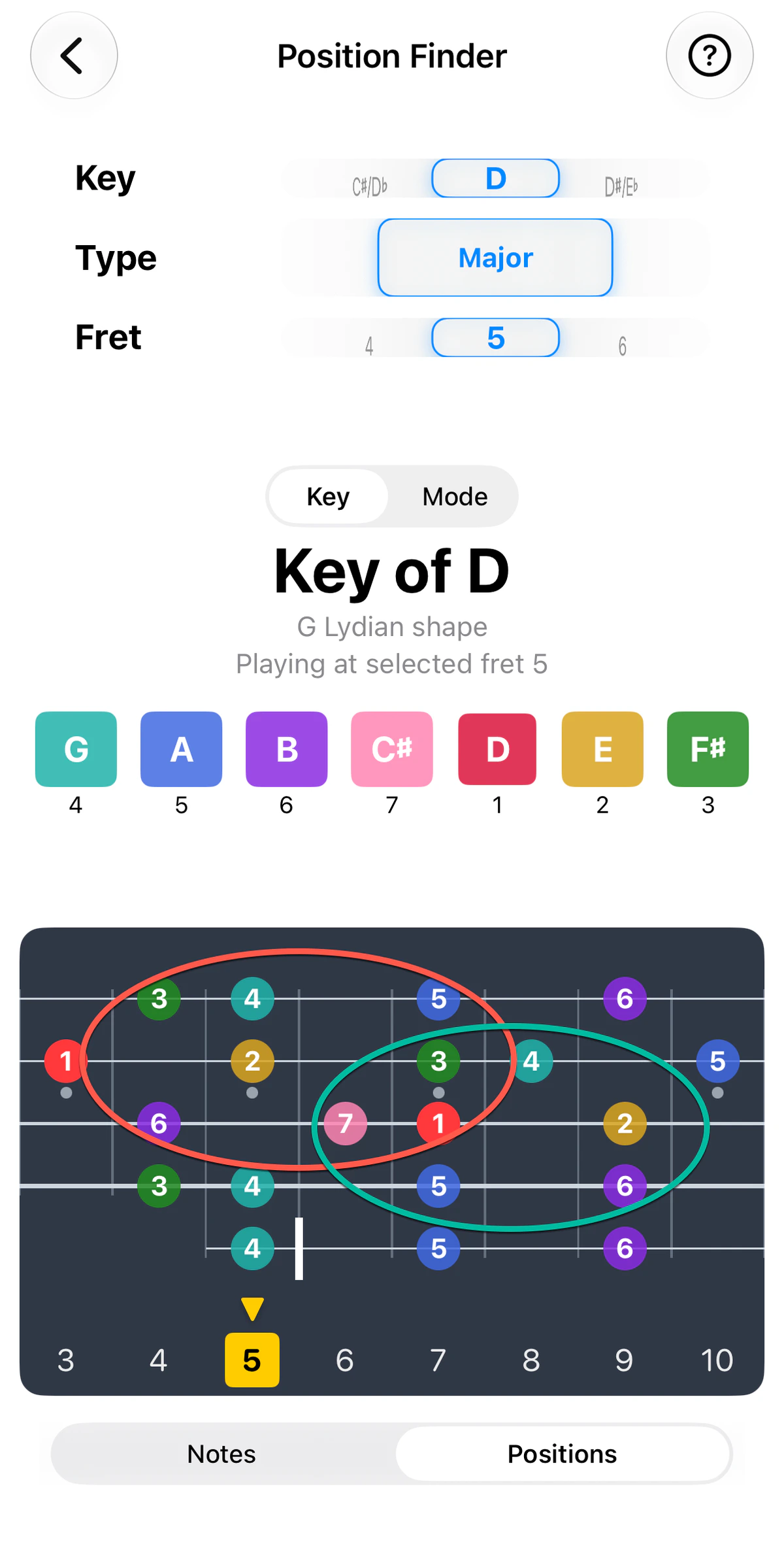
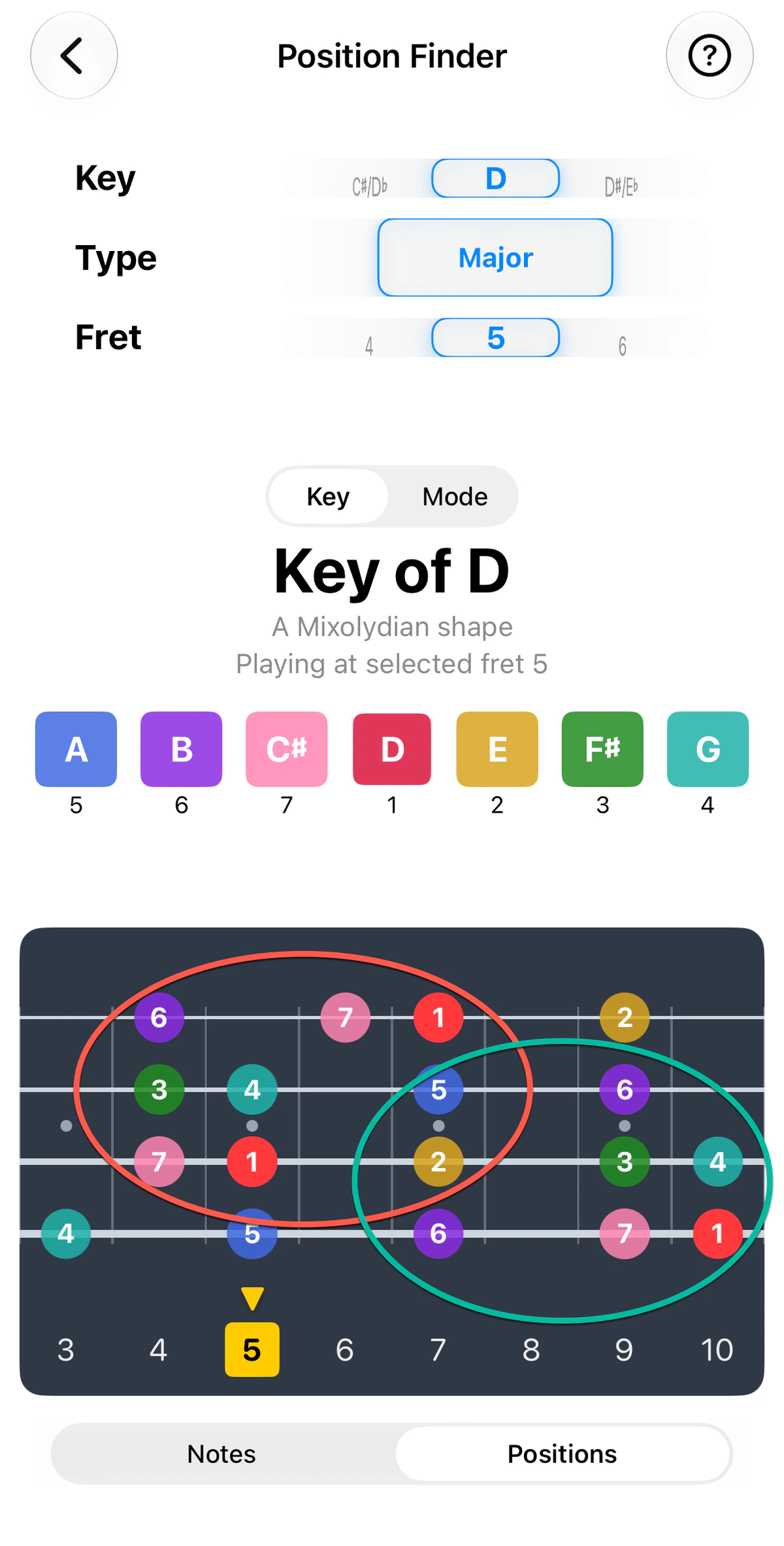
Under the fretboard, a Notes / Positions toggle changes what the dots say. Notes shows note names (D, F♯, A…). Positions shows each note’s scale degree (1, 2, 3…) instead, with 1 as the key’s root.
Degrees tell you how each note relates to the key, whatever its name. With Positions selected you can see where the roots (1s), 3rds and 5ths sit around your hand without the note names getting in the way. The screenshot of the key of D with Positions selected shows this. See Scales for more on reading degrees.
Practice idea: switch to Positions and find the 1, 3 and 5 near your hand. They make up the key’s home chord (the I chord), so they’re a safe place to land when the song resolves.
Going further: Key / Mode toggle
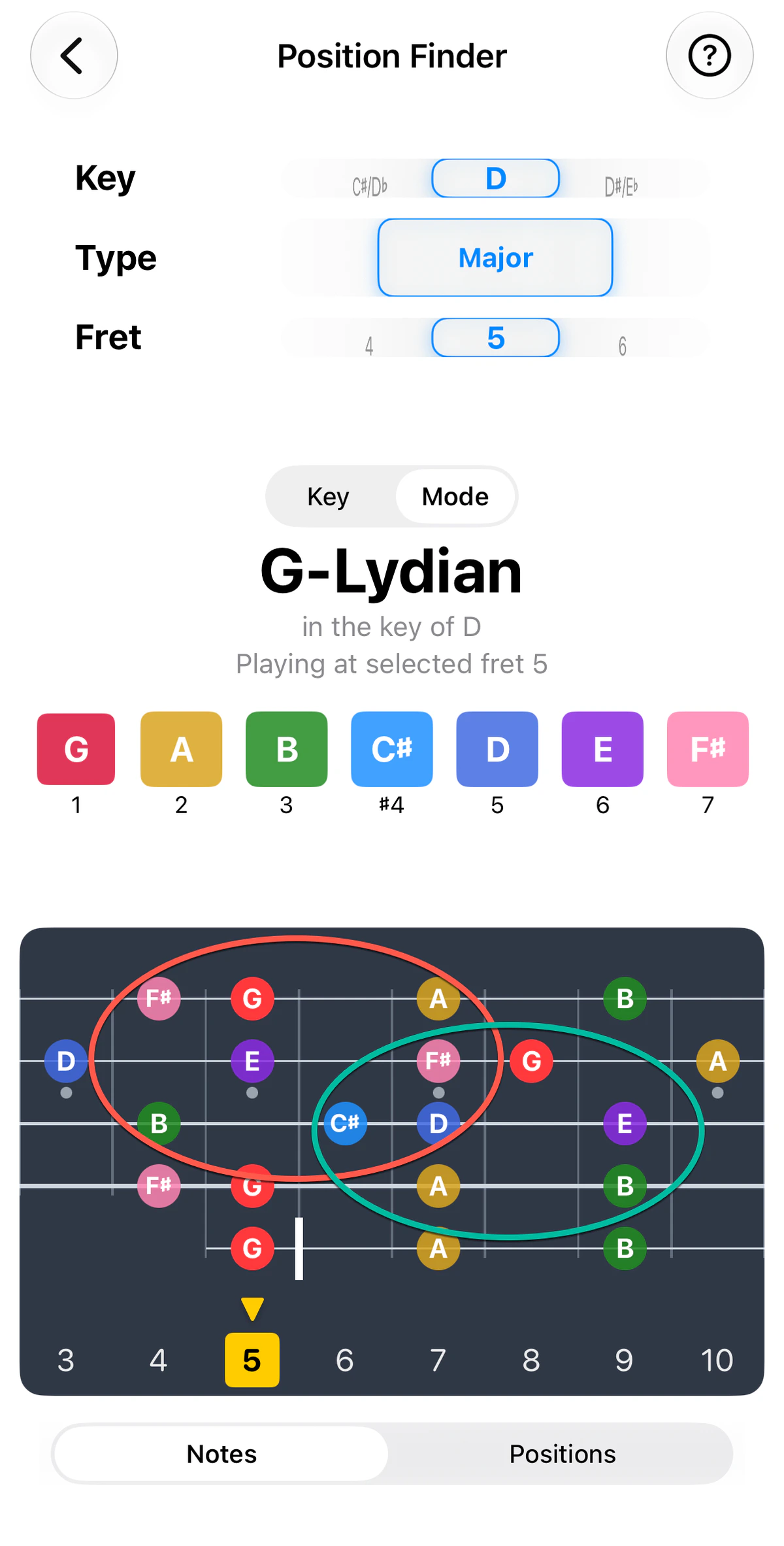
When the fret you’ve chosen isn’t the key’s root, a Key/Mode toggle appears. Key shows note degrees relative to the key; Mode shows them relative to the mode that starts at that position – and recolours the fretboard to match.
For example, take the key of D with your hand at fret 5. In Key view you see D major, with its notes numbered from D, and a subtitle such as “A Mixolydian shape” naming the mode that begins at the lowest note of the pattern. Switch to Mode and the same notes are renumbered from that mode’s own first note (here A, with the 7th as ♭7), and the colours follow.
Which mode you get depends on your instrument and tuning. The same key of D at fret 5 gives A Mixolydian on guitar and bass, G Lydian on banjo and B Aeolian on ukulele. On the ukulele that shape sits at fret 4, a fret below the one you chose, and GTK says so (“1 fret down from selected fret 5”). The toggle doesn’t appear when your fret is already the key’s root, as with C on ukulele or G on banjo, because Key and Mode would be the same thing.
Practice idea: pick the fret where you’re most comfortable and play a whole song there without moving your hand. Once that feels easy, shift your position a few frets and do it again.