Practice
Triad Practice
Drill major, minor, augmented and diminished triads across string sets and inversions.
- Guitar
- Bass
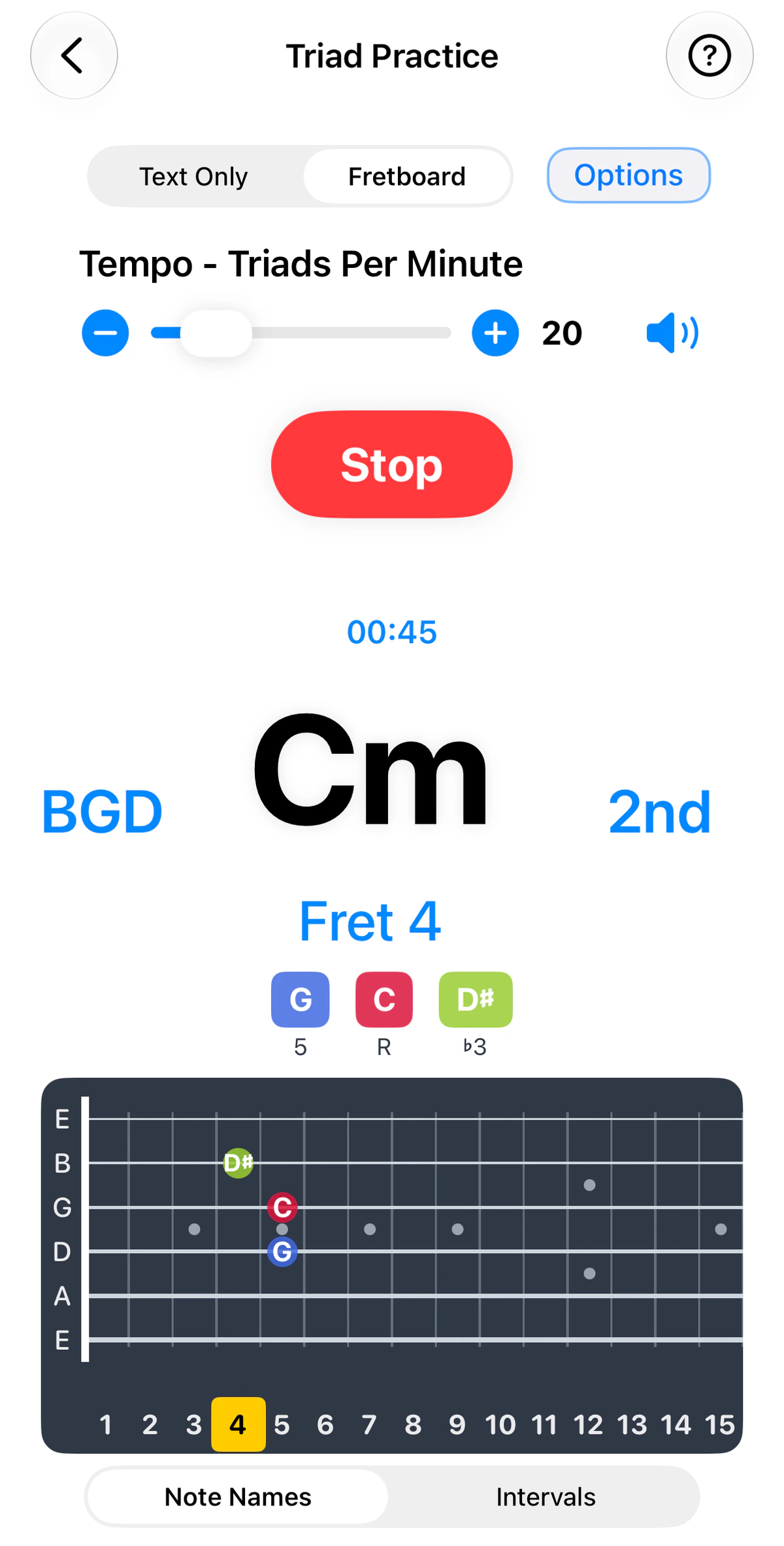
1 of 3
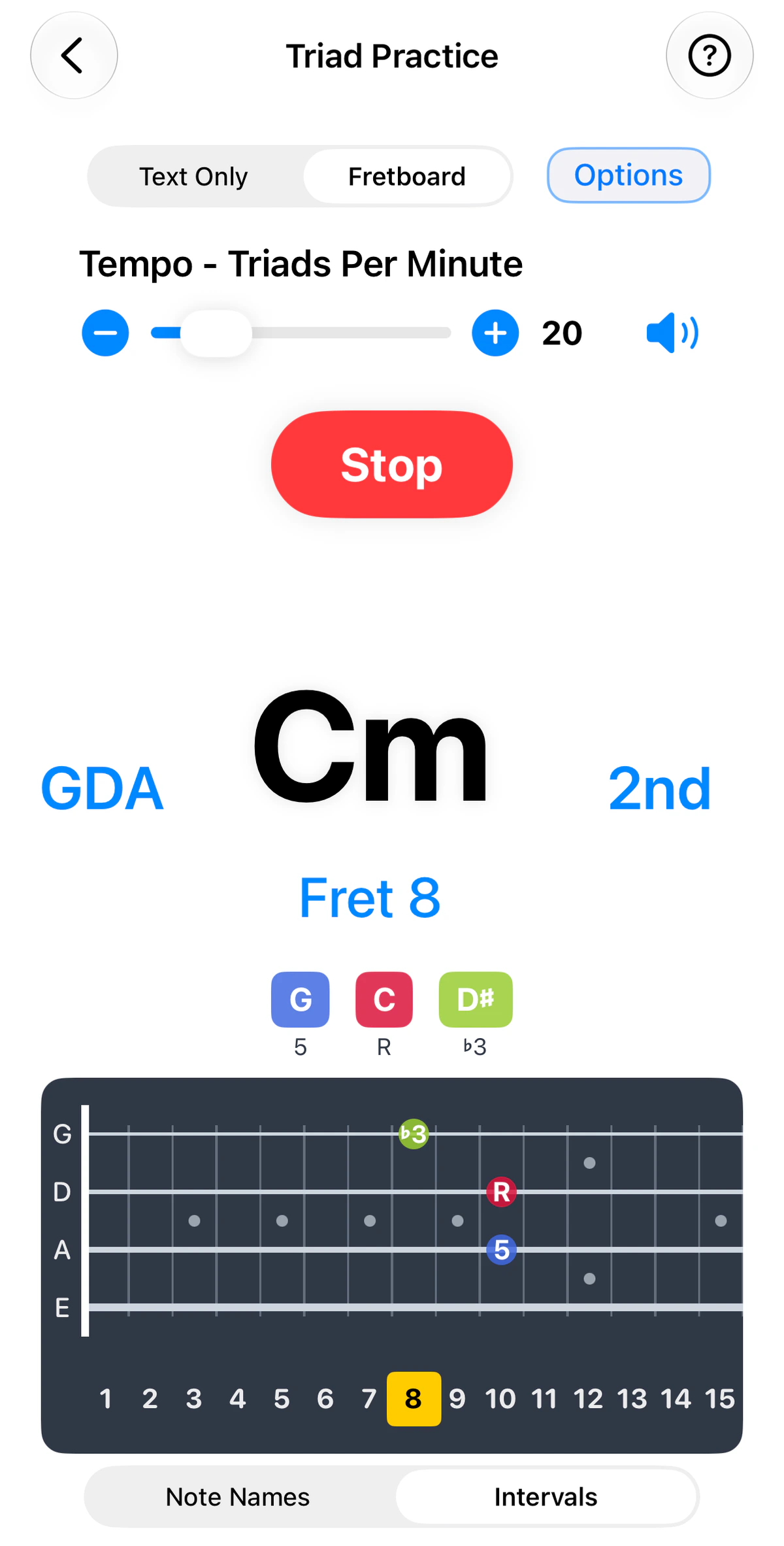
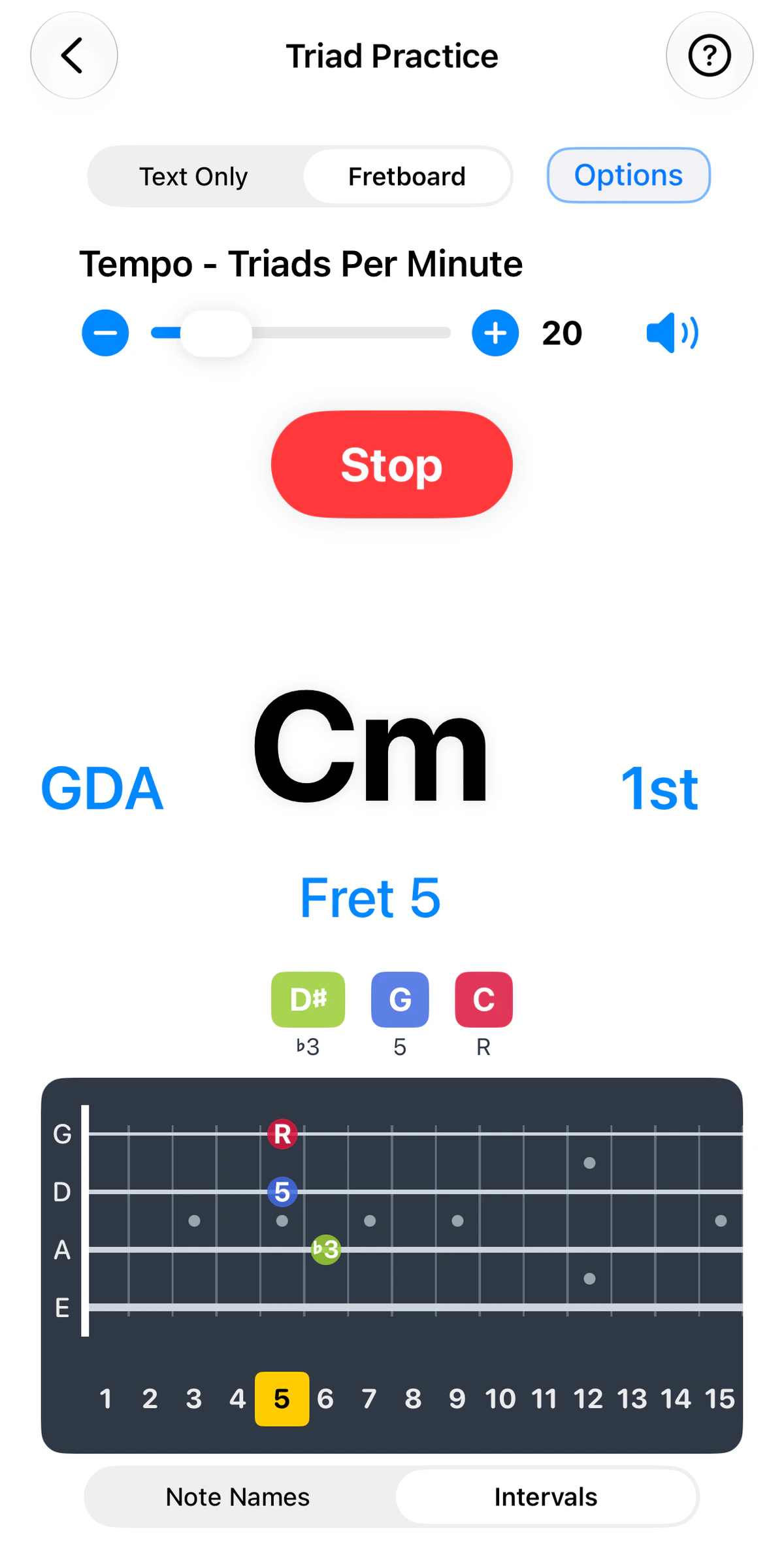
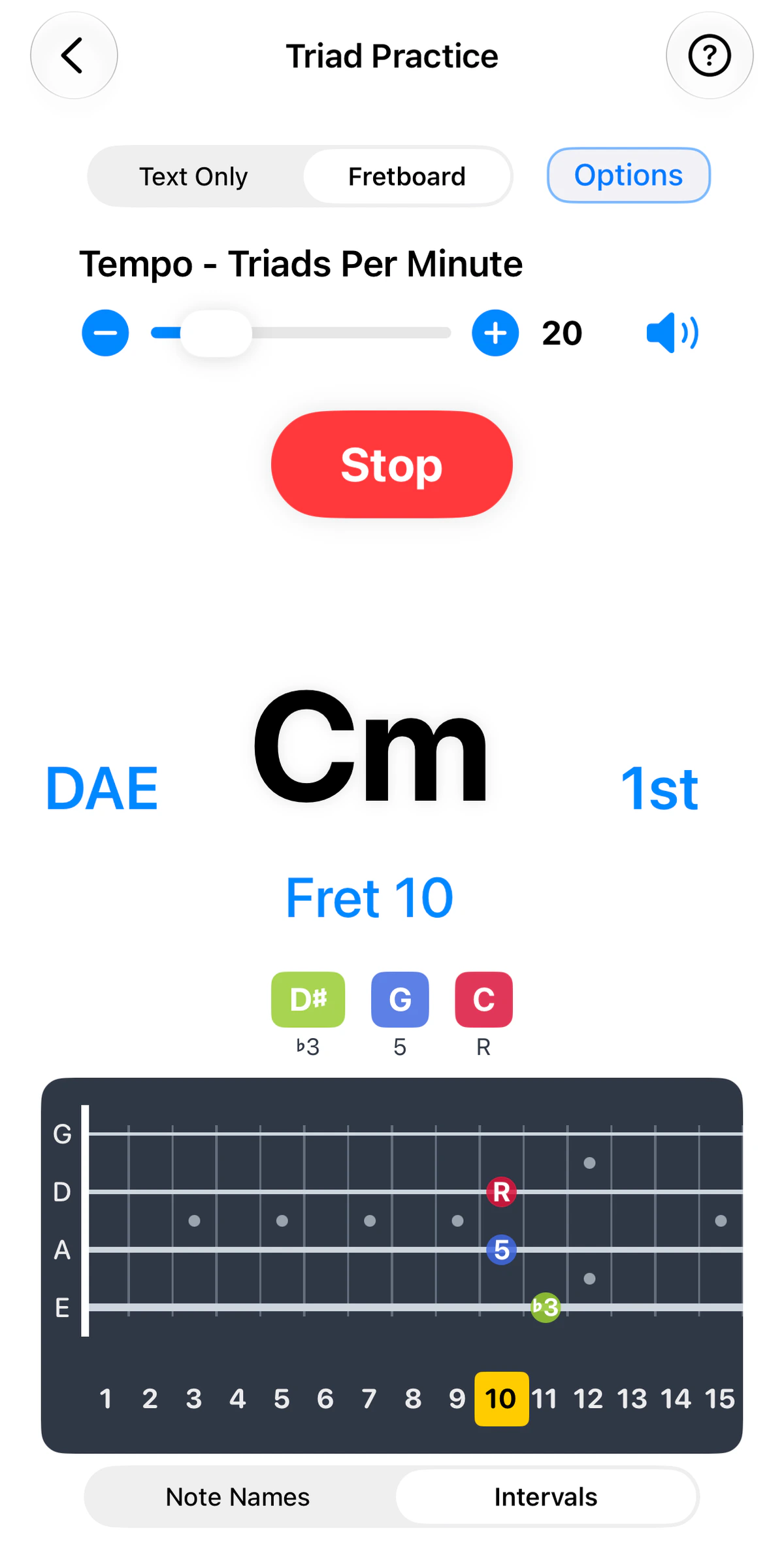
1 of 3
Triads – three-note chords – are the building blocks of harmony and the key to playing chords all over the neck.
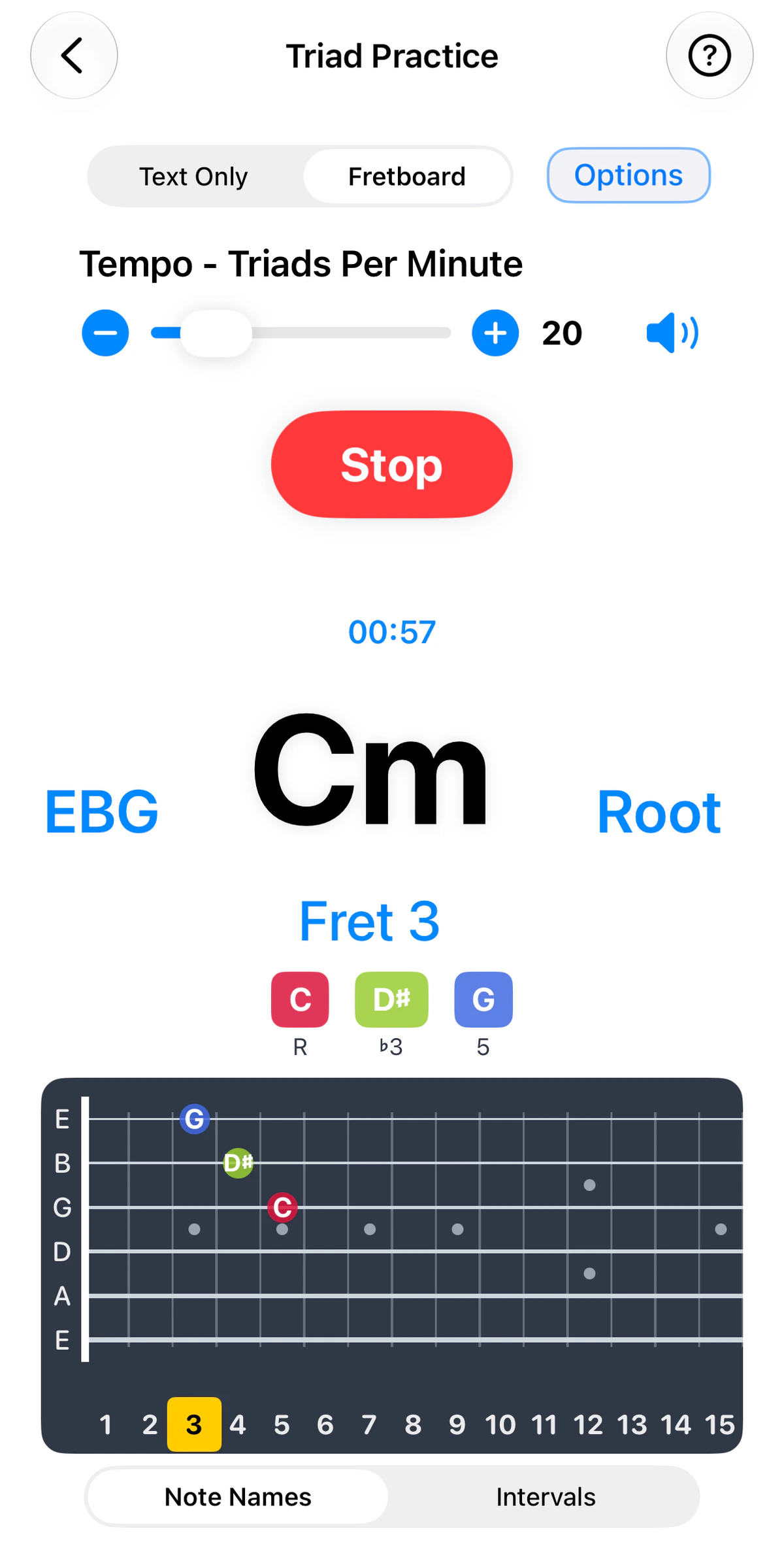
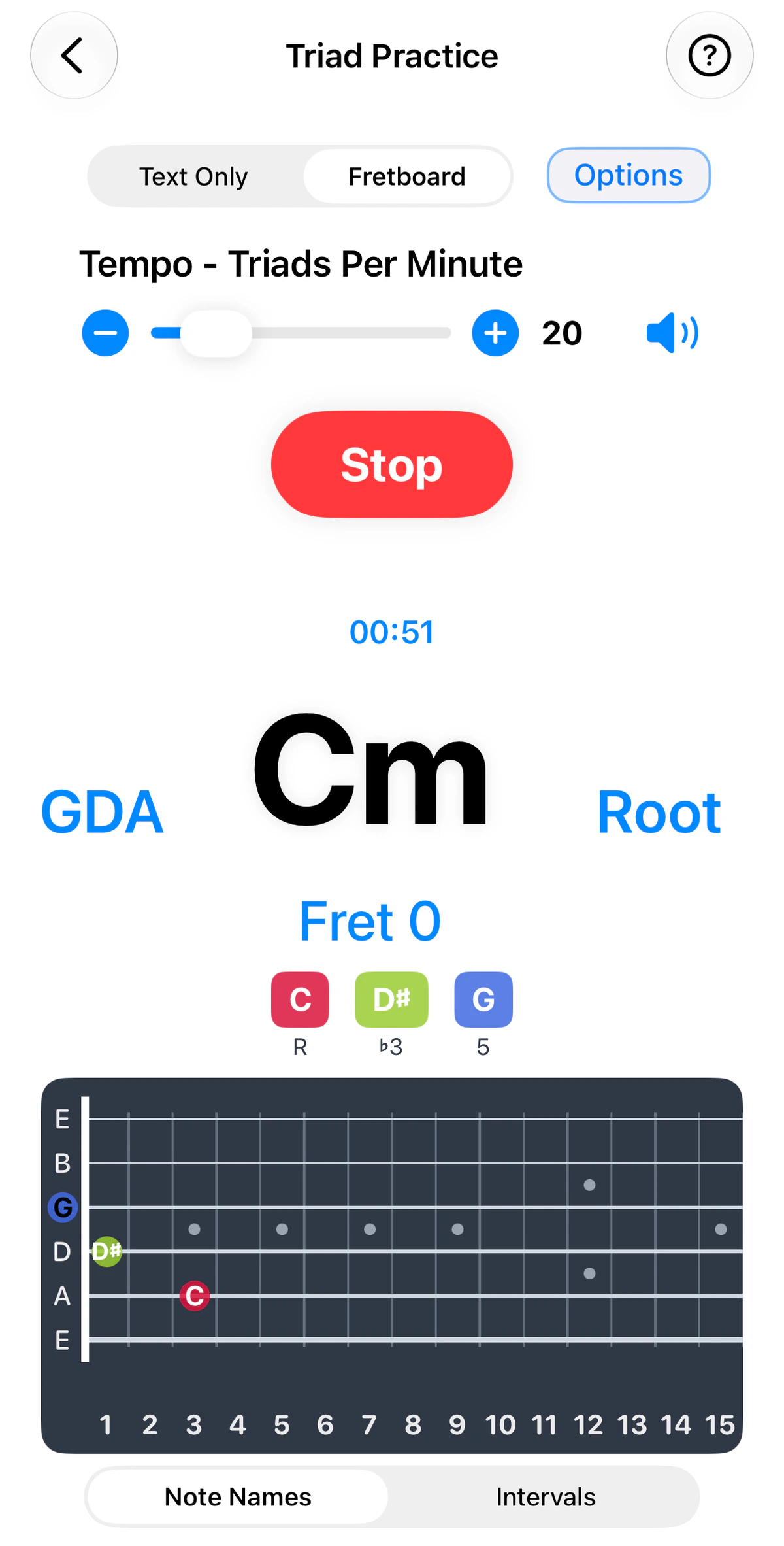
Triad Practice is part of GTK Guitar and GTK Bass. Use the instrument tabs above the screenshots to see it on each; the strings and tuning follow the instrument. It uses the fixed triad shapes of standard tuning.
Setting up a drill
Tap Options and choose:
- one or more chords
- one or more string sets (three adjacent strings)
- one or more type – Major, Minor, Augmented, Diminished
- one of more inversions – Root, 1st, 2nd
On the main screen:
- Set the tempo with the slider or the – / + buttons. It’s measured in triads per minute.
- Tap Start to begin and Stop to finish. You can choose continuous training, or a time-based session with a countdown timer.
- Use the speaker icon to turn the sound on or off.
Reading the display
- Switch between Text Only and Fretboard views at the top.
- The large chord name sits in the centre. On its left are the strings being used, written as their open-string letters (for example GDA), and on its right is the inversion (Root, 1st or 2nd).
- Fret tells you where to play the shape, and the same fret can optionally be highlighted on the fret numbers below the fretboard.
- Note pills – such as R, ♭3, 5 – appear in bass-to-treble order for the current inversion, and the fretboard uses matching interval colours.
- Switch between Note Names and Intervals under the fretboard, depending on whether you’re learning the notes or the shapes.
A practice path
- One string set, Major and Minor only, root position.
- Add 1st and 2nd inversions on the same set.
- Add Diminished and Augmented.
- Add more string sets.
Each inversion puts a different chord tone on top. Learning all three on one string set gives you three places to play every chord within a few frets – and smooth voice leading between them.